
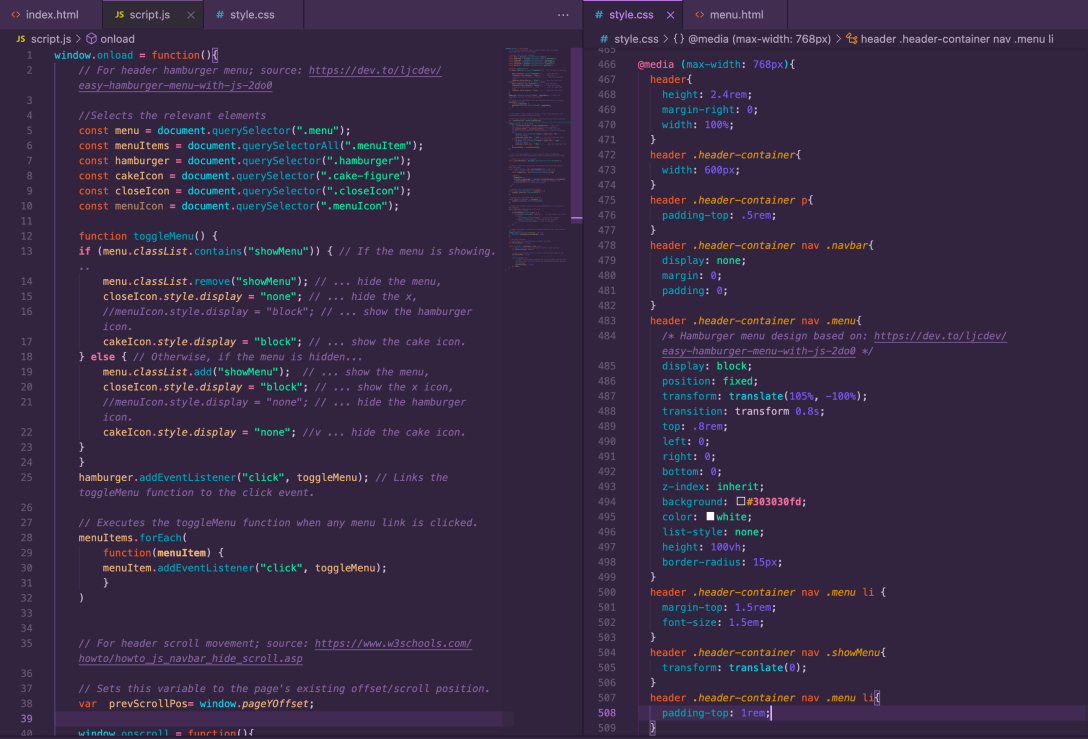
I’ve been super busy (too busy to post updates), but I’ve been grabbing time to review and make changes to my site as often as possible.
I ended up liking the CakeMonster footer enough to add it to the portfolio site (it caused some responsiveness bugs because their layouts are different, but I sorted them). After that, I finally jumped into the Javascript review I’ve been dying to do for so long.
I started by reviewing freeCodeCamp’s basic Javascript course and referring to the notes I made back when I did it the first time a couple of years ago. Once I had the basics refreshed in my mind, I started adding Javascript to CakeMonster to bring it into alignment with the inspiration site.
Specifically, I wanted to create a hamburger menu, make the header slide up as I scrolled down and make the text of a particular section slide down as I scrolled to it.
I was able to do all of the above plus I made the site fully responsive before I started tweaking, just to make sure I wasn’t shooting myself in the foot. That included reducing the footer for the narrowest sizes (using display: none; on the relevant elements), where took up at least half the screen. The original site actually lets it take up about 3/4 of the screen and uses dropdowns to keep things organised, but I felt like it was better to leave the screen real estate and allow the user to navigate from the menu.

The hamburger menu is based on this article from dev.to, which was a great way to refresh myself on event listeners. The icons’ fixed positioning broke my responsiveness so I had to make some tweaks, but it came out great. Once I had it nailed down, I pulled a cake icon from iconmonstr.com because who puts a hamburger menu on a cake site?


Naturally, I only wanted the cake menu to show up on the smaller screen sizes, so I hid it (display: none; again) until 768px screen width, which is tablet-sized.

With the cake menu sorted, I moved onto the sliding header. The solution was pretty simple with help from w3schools.com; I just had to apply it to my new cake menu too, so it would slide up in time with the rest of the header.

The last step was to set the text in the “yummy” section to drop in once I’d scrolled to it. I didn’t anticipate how long this part would take to get right and the reason it took as long as it did was because I had to spend a good long while debugging the solution I found here. It took me longer than I’d like to admit to realise that setting the opacity with JS in the beginning was preventing the CSS from changing the opacity at the end. All I needed to do was delete this function:
scrollElements.forEach((el) => { el.style.opacity = 0 })Once I did (and set the initial opacity with CSS instead), the opacity change worked as it should and I added in transform: translate (); to handle the drop-in.

And that’s about it for the homepage.
Up next, more Javascript. The rest of the site has even more complex effects that I’m excited to dive into. Also, I want to implement some of the effects here in the portfolio site.
Updated repository here.
 undefined
[…] down slowly, but when I tried to make the primary header slide down, it broke the pre-existing header scrolling function (that’s the one that makes the header slide up as I scroll down and back down when I scroll […]
LikeLike